Skip to the downloader
vkvideodownloader.com

Free · No account · No extension

VK Video Downloader

Paste a VK link to download, save and convert any VK video to MP4 in up to 4K — or extract the audio as MP3, grab the thumbnail, and pull an auto transcript. Free, in your browser, with no account and nothing to install.

Works with vk.com, vk.ru, vkvideo.ru, m.vk.com, VK Clips and embedded player links.

Format
MP4
Quality
Up to 4K
Audio
MP3
Price
Free
Account
Not needed
Install
Nothing
  • Always free
  • No registration
  • Nothing to install
  • Files never stored

How to Download a VK Video in Three Steps

Downloading a VK video takes one copy and one paste. The steps below are identical on desktop and mobile.

  1. Copy the VK Video URL

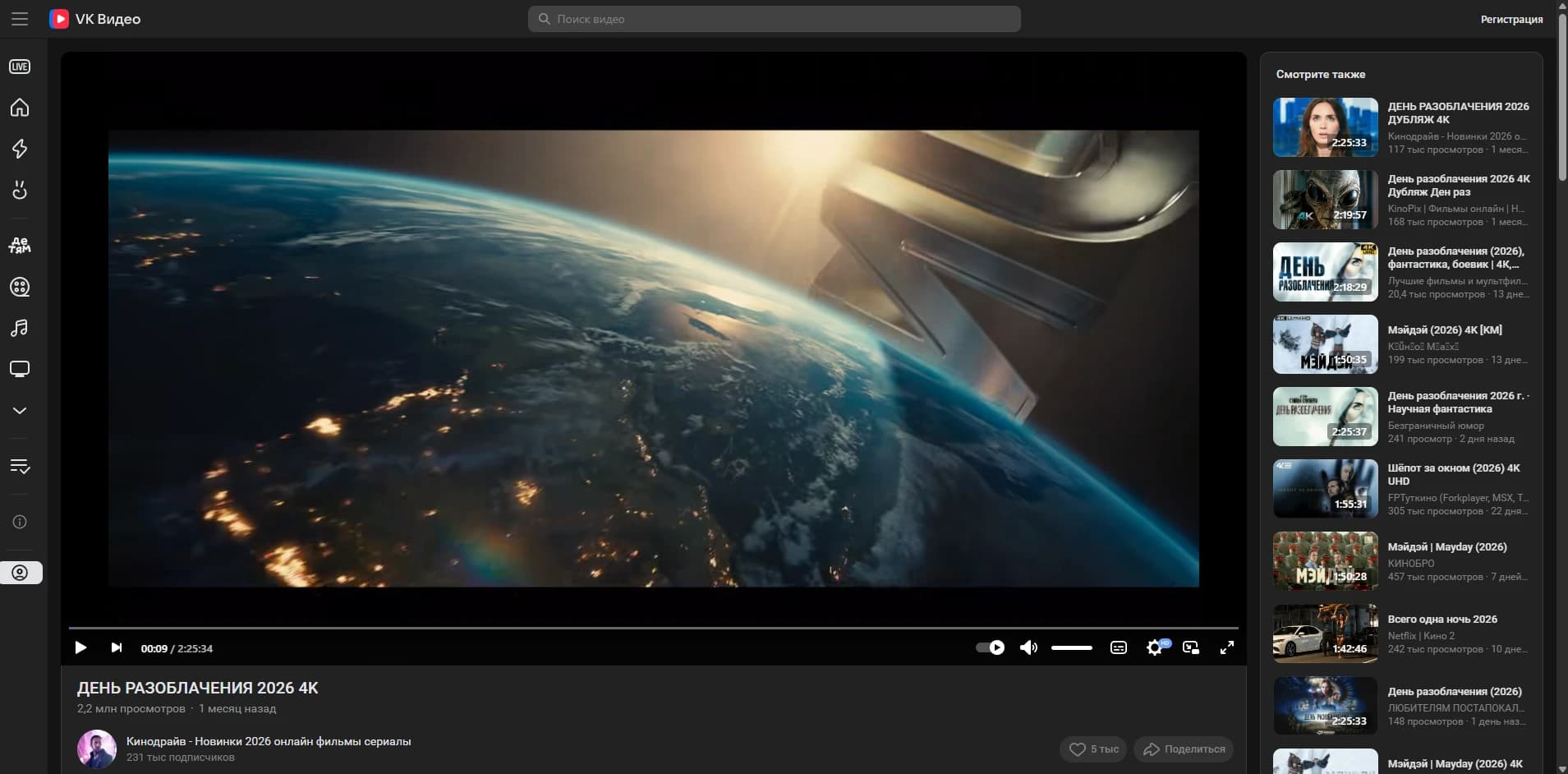
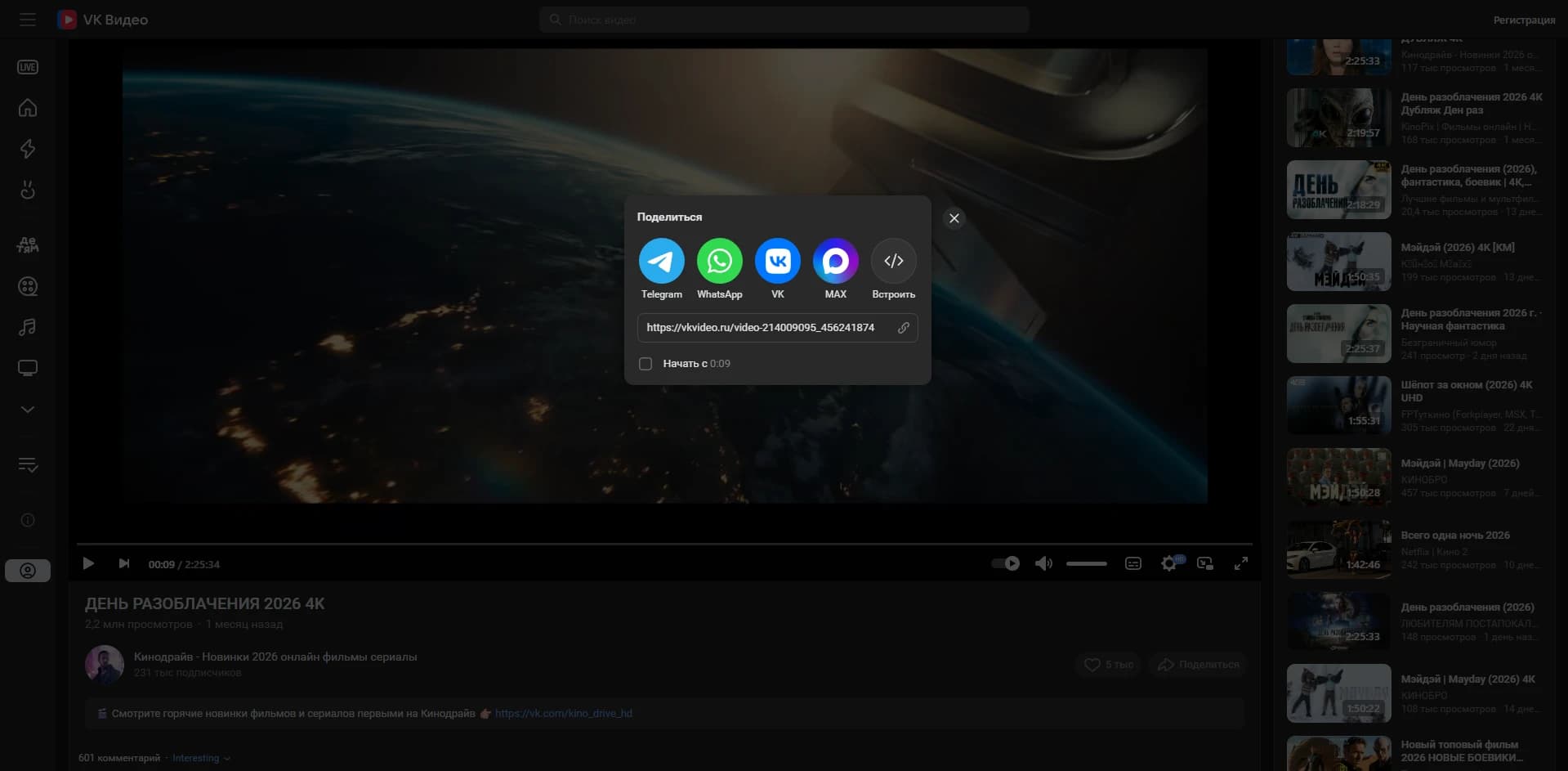
    Open the video on VK and copy its address. On desktop, take the URL from the browser address bar. In the VK mobile app, tap Share and choose Copy link. A VK video URL looks like vk.com/video-227034863_456239527, and embedded video_ext.php player links work too.

  2. Paste the VK Link Into the Downloader

    Paste the link into the field at the top of this page and press Get download links. The downloader reads the owner id and video id from the URL, queries VK for the video, and lists every rendition VK is serving — usually 144p, 240p, 360p, 480p, 720p and 1080p.

  3. Choose a Quality and Save the MP4

    Pick the resolution you want and press Download. The file transfers straight to your device as an MP4, named after the video title. Choose MP3 instead if you only need the audio track.

What This VK Video Downloader Supports

The downloader serves whatever VK itself publishes for a given video. Nothing is upscaled and nothing is re-encoded, so the file you save is the file VK streams.

Resolution ladder offered per video
  • 2160p4K
  • 1440p2K
  • 1080pFull HD
  • 720pHD
  • 480pSD
  • 360pLow
  • 240pLow
  • 144pLow

Which rungs exist depends on the source upload. A video uploaded at 720p will not offer 1080p.

Supported VK Sources and Link Types

VK addresses a video with a compound id — an owner id and a video id, such as -227034863_456239527. The downloader extracts that pair from any of the link shapes VK produces, so you never need to reformat a URL by hand.

vk.com
Standard desktop video pages and wall posts
vkvideo.ru
VK's dedicated video portal
vk.ru
VK's alternate domain
m.vk.com
Links copied from the mobile site or app
VK Clips
Short vertical clips at /clip-…
video_ext.php
Embedded player links from external sites

Audio-Only MP3 Downloads

When you only want the sound — a lecture, a set, an interview — choose MP3 instead of a resolution. The audio track is extracted from the VK stream and encoded to a 128 kbps MP3, so you save a few megabytes instead of a few hundred. Video is discarded entirely; nothing else about the file changes.

Thumbnails, Titles and Subtitles

Alongside the media, VK returns the video title, its duration, its view count and a thumbnail — all shown before you commit to a download, so you can confirm you have the right video. Saved files are named from the video title rather than a random string, and Cyrillic titles are preserved intact. Where the uploader published subtitles, the available languages are listed with the results.

Where the VK Video Downloader Works

The downloader runs in the browser, so there is no app to install and no operating system it excludes. Only the final save step differs between platforms.

Download VK Videos on Windows and macOS

Use any modern browser — Chrome, Edge, Firefox, Safari, Brave or Opera. The MP4 lands in your default Downloads folder and plays in the built-in player on both systems. Large files resume automatically if the connection drops, because the download supports byte ranges.

Save VK Videos on Android

Copy the link from the VK app with Share → Copy link, then paste it here in Chrome or Firefox. The MP4 saves to your Downloads folder and appears in Google Photos and most gallery apps once the media scanner picks it up.

Save VK Videos on iPhone and iPad

Safari saves the MP4 into the Files app rather than the camera roll. Open Files → Downloads, tap the video, then use the Share sheet and choose Save Video to move it into Photos. Chrome and Firefox on iOS behave the same way, since they use the same underlying engine.

Why Download VK Videos Here

Free, Without an Account or an Extension

There is no registration step, no email capture, no browser extension and no desktop client. Paste a link and the download links appear — the tool works the same on the first visit as on the hundredth.

Original Quality, Without Re-Encoding

The MP4 you save is the exact stream VK serves, transferred byte for byte. Nothing is recompressed, downscaled or watermarked, so quality matches what you see in VK's own player.

Private by Design — Nothing Is Stored

Videos are streamed through the server and forwarded straight to you. No copy is written to disk, no download history is kept against your address, and the link you paste is not logged or shared.

Frequently Asked Questions

Everything people ask before saving a VK video.

Is this VK video downloader free?

Yes, completely. There is no paid tier, no download quota and no watermark, and the tool never asks for payment details.

Do I need a VK account to download a video?

No. The downloader only reaches videos VK serves publicly, so no login, password or cookie is ever required. If a video needs an account to watch, it cannot be downloaded here.

Do I need to install an extension or software?

No. There is no browser extension, no desktop client and no mobile app. Everything happens on this page in your browser.

Which VK link formats are accepted?

vk.com, vk.ru, vkvideo.ru, m.vk.com, VK Clips links beginning /clip-, embedded video_ext.php player links, and bare compound ids such as -227034863_456239527.